HomeAbout us
Explore
Browse profilesHow it worksPhoto galleryJoin now
Community
IyerIyengarMadhwaSmartha
More
StoriesBlogContact usFeedbackLoginRegister →
Home · How it works
Your journey with Aseema

How it works

From registration and verification to approval and your first match — here’s exactly what each step looks like.

Step 1

Register

Start with the basic details families look for first — it only takes a couple of minutes.

  • Enter name, gender, date of birth, caste and mother tongue
  • Tell us whether this is your first marriage
  • Add your mobile number and email, and set a password
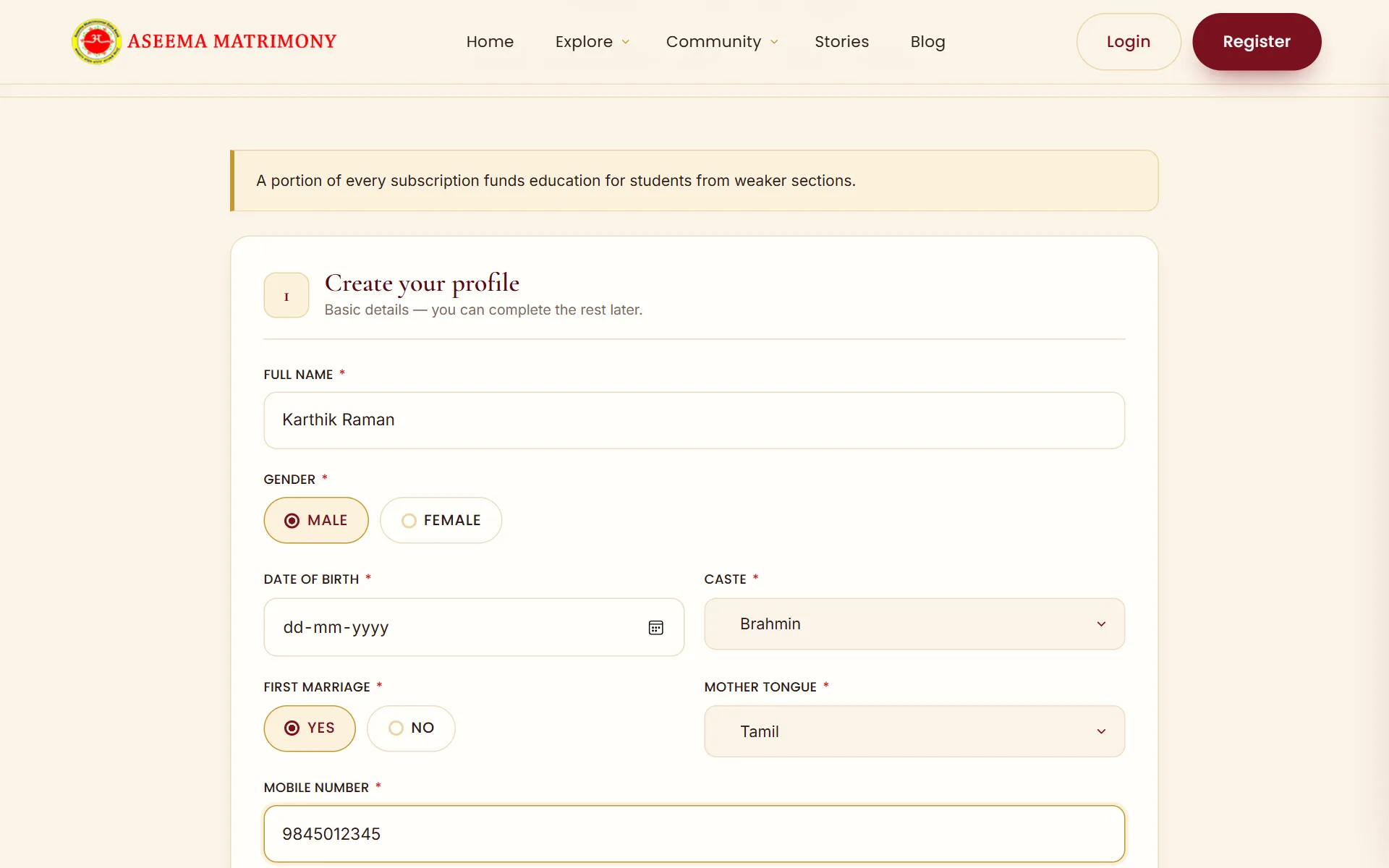
Aseema registration form with name, gender, date of birth, caste and mother tongue fields
Step 2

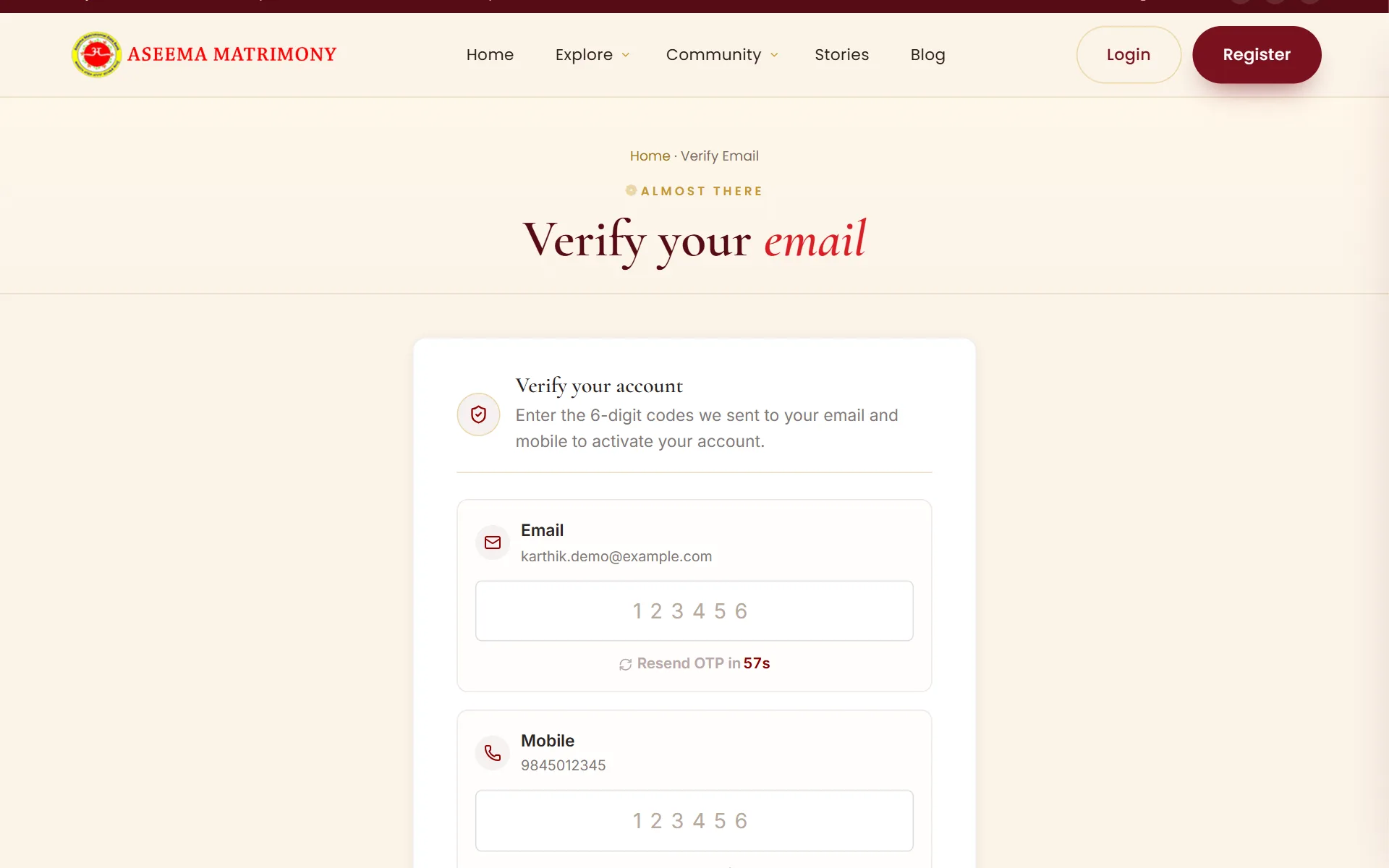
Verify your email & mobile

We send a 6-digit code to your email and to your mobile to confirm they’re really yours.

  • Enter both codes to activate your account
  • Didn’t get a code? Resend it after the short timer
  • Verified contacts keep your account — and every member — safe
Verify your account page with 6-digit code boxes for email and mobile
Step 3

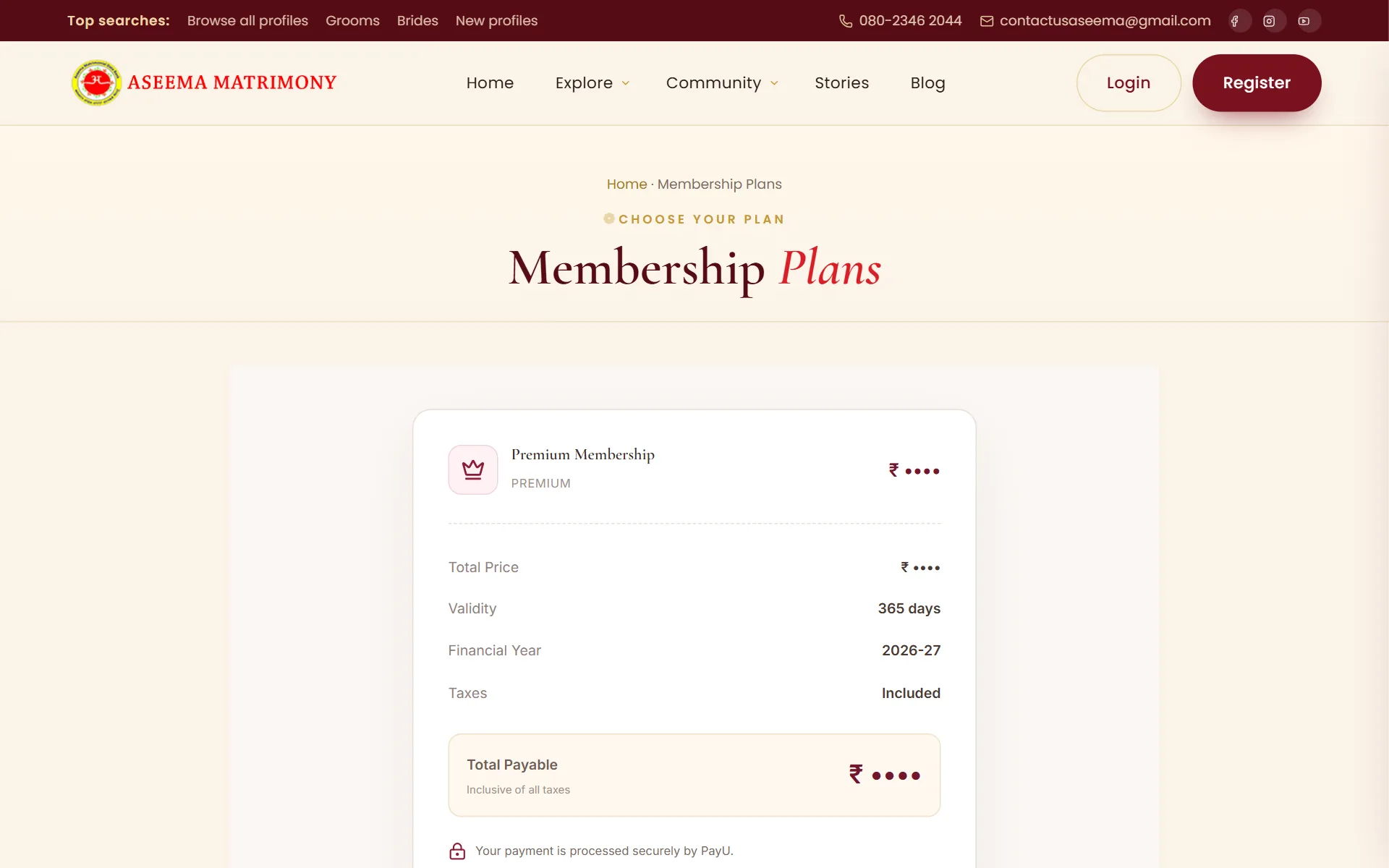
Choose your plan & pay

Review your membership plan and complete the payment securely online.

  • See the plan, its validity and the taxes included before you pay
  • Pay securely through PayU
  • Your receipt is always available under View Bills
Membership plan checkout showing plan name, validity, financial year and total payable
Step 4

Complete your profile details

Now add the details that help families decide — the more complete, the better your matches.

  • Upload your main photo
  • Add horoscope, education, career, family and contact details
  • Set your partner preferences, then submit your profile
Complete your profile page showing registration details and the photo upload section
Step 5

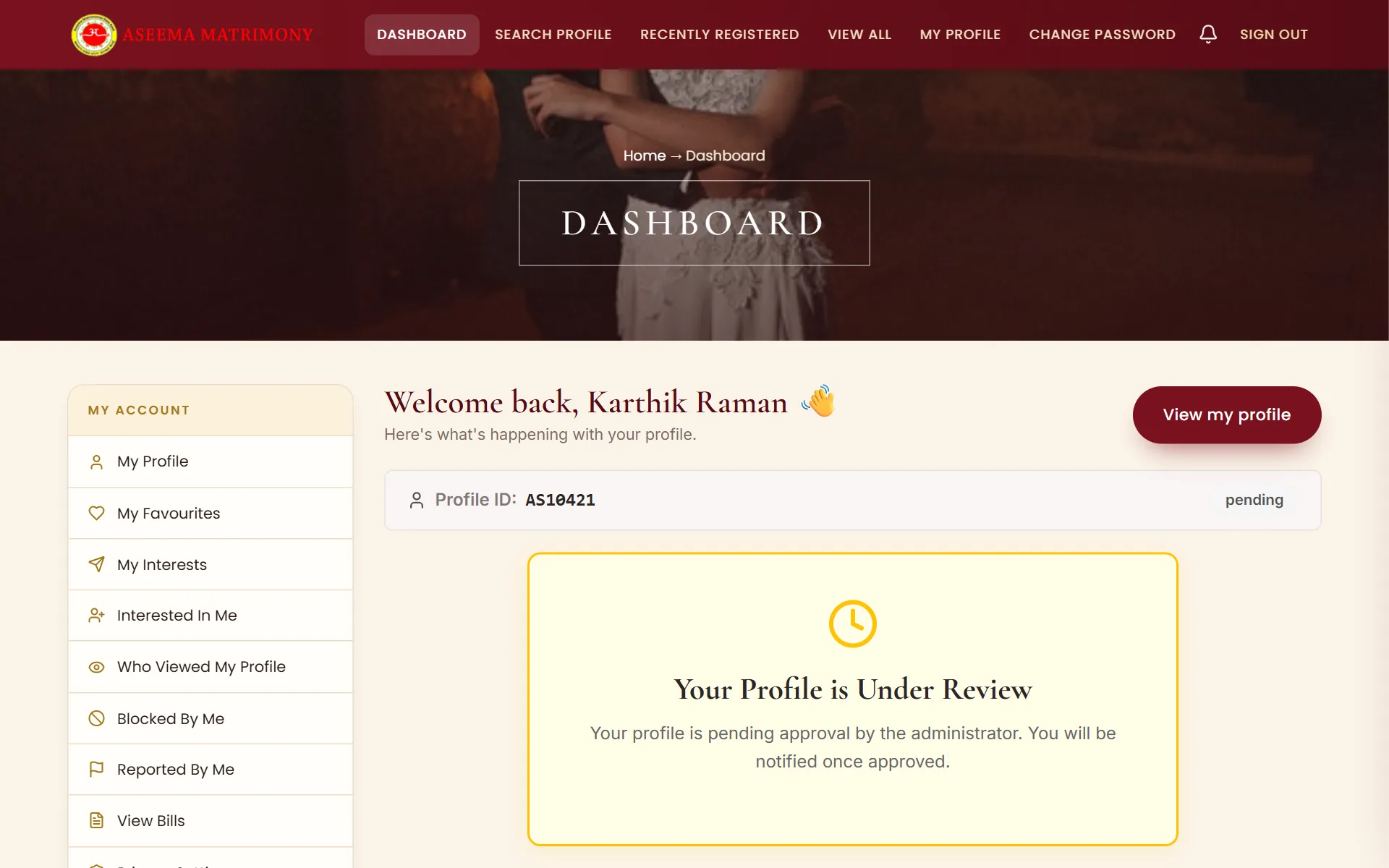
Wait for admin approval

Our team reviews every profile before it goes live, so every member you meet is genuine.

  • Your dashboard shows “Under Review” while we check your profile
  • Approval typically takes 24–48 hours
  • You’ll receive an email and SMS as soon as you’re approved
Dashboard showing the notice “Your Profile is Under Review”
Step 6

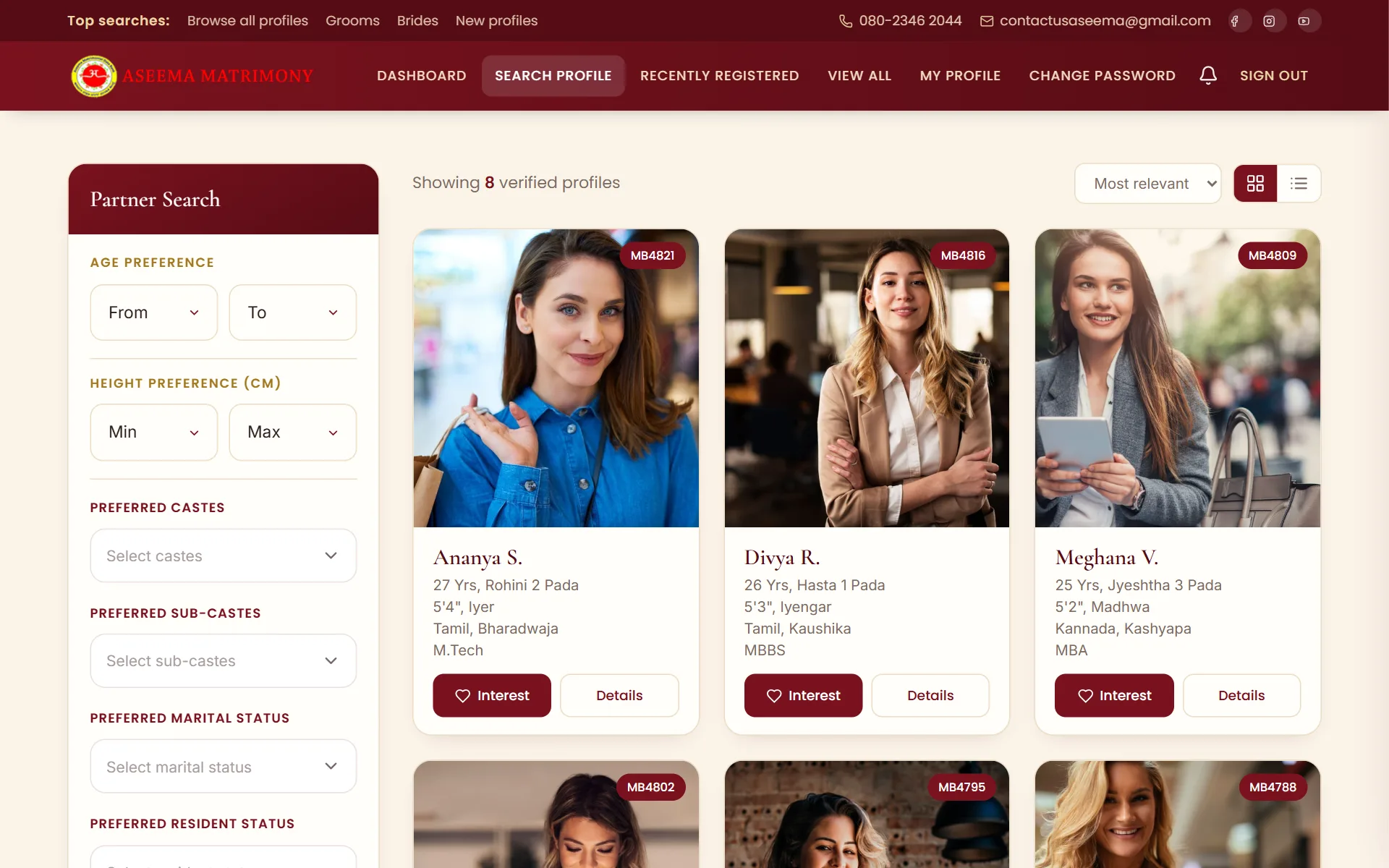
Start searching profiles

Once approved, search verified profiles with the filters that matter in a Brahmin alliance.

  • Filter by age, height, caste, sub-caste, gothra, nakshatra and rashi
  • Narrow down by education, occupation, residency and city
  • Switch between grid and list views, sorted by relevance
Partner search page with filters on the left and verified bride profile cards on the right
Step 7

Meet the family & get married

When both families are comfortable, take it offline at your own pace — and begin your story.

  • Exchange horoscopes and meet the family when both sides are ready
  • Our team is a phone call away if you need guidance
  • Share your story with us to inspire other families
A newly married couple in wedding garlands Step 7

Screens shown with sample profiles for illustration.

Ready to begin your story?

Create your profile today and start meeting genuine, verified matches from your own sub-caste.